Contents6 sections
A working week leaves a trail: notes, docs, decisions, half-promises, and tiny commitments that are obvious in the moment and easy to lose a week later. Ledger is the agentic memory system I built to stop that evaporation. It brings a leadership vault, an event history and scheduled agent workflows into one interface. The current developer-preview source is not a public release, but the design is worth writing up because an earlier version failed in a genuinely useful direction.
The version that failed
The first iteration did what most people's first iteration would do: it tried to mine meaning out of old notes after the fact. Pattern matching over working notes, hunting for sentences that looked like action items, fuzzy matching to guess whether something had been completed since.
That earlier, historical iteration produced a to-do list of 66 items. About five of them were real.
The rest were noise shaped like tasks, and the system expected me to click through and dismiss them one by one. It had made me its janitor. Worse, the fake items eroded trust in the real ones, so the five genuine commitments got the same sceptical squint as the 61 fakes. A memory system you don't trust is worse than no memory system, because you stop using it for the decisions that matter.
The lesson that fixed it: you can't scrape meaning out of prose downstream. Meaning has to be captured upstream, while the full context is still on the table. Once working context is flattened into a bullet point, the signal you need is mostly gone.
The working record comes first
Ledger is not a second task database beside the notes. Open asks are read from markers on people's Markdown profiles. Meeting notes, worklogs, installed skills and generated leadership documents live in the vault too. An event saying that a commitment exists does not, by itself, create an ask in the To-dos view: that view reads the source profile.
The event history has a different job. Monthly append-only JSONL files keep sourced evidence, contact dates, commitments, corrections and versioned goals. Approved goal events are the authoritative goal record; the Markdown goals document is a rendered view. Keeping these responsibilities separate matters. A profile tells me what someone is waiting on. The history tells me where a claim came from and how the record changed.
Inferred asks and goals have a human decision path. Ask candidates appear in the To-dos gate; goal proposals appear on Goals. Approve or Reject records the decision, with a profile ask written where applicable. Accepting a goal into my record does not mean its named holder has agreed to it.
That is a concrete approval flow, not a claim that every agent filesystem write is technically gated. Agents run through the configured harness and can edit files under the permissions it grants. The workflow instructions and the candidate interface have to be understood alongside that boundary.
The app that surfaces it
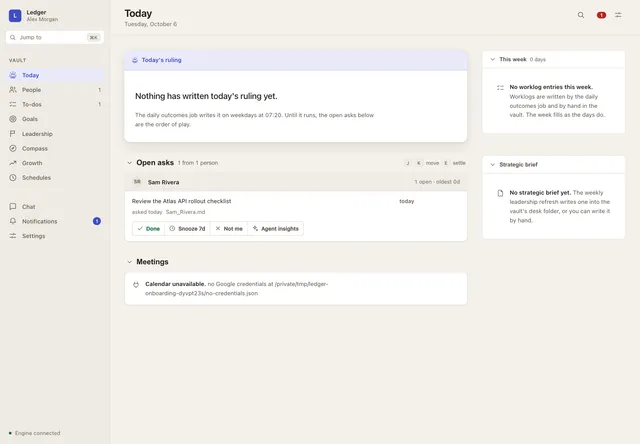
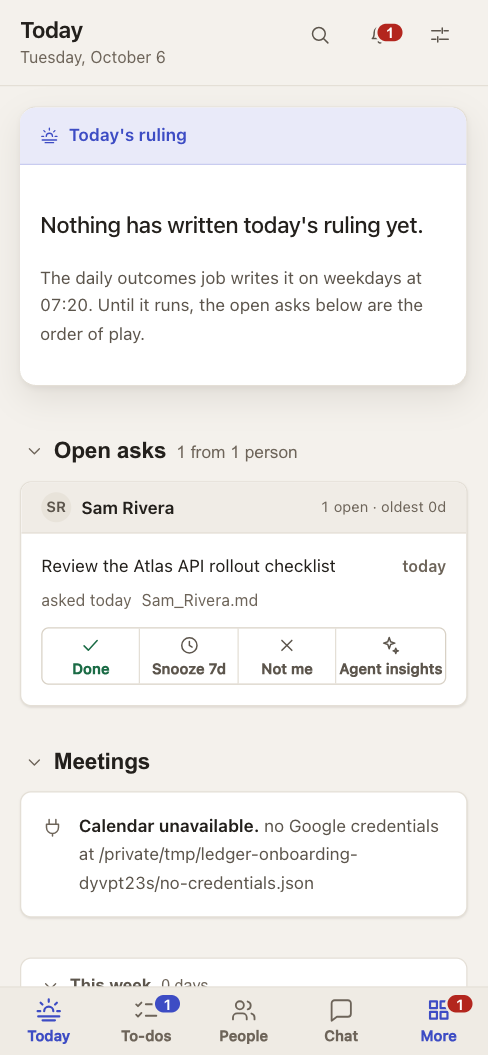
The interface has ten sections: Today, People, To-dos, Goals, Leadership, Compass, Growth, Schedules, Chat and Settings. Notifications are an overlay. Today brings together open asks, meeting preparation, a daily ruling and recent worklog context when those inputs exist. People reads profiles and contact context; To-dos gathers profile asks; Goals shows proposals, dated versions and their evidence.
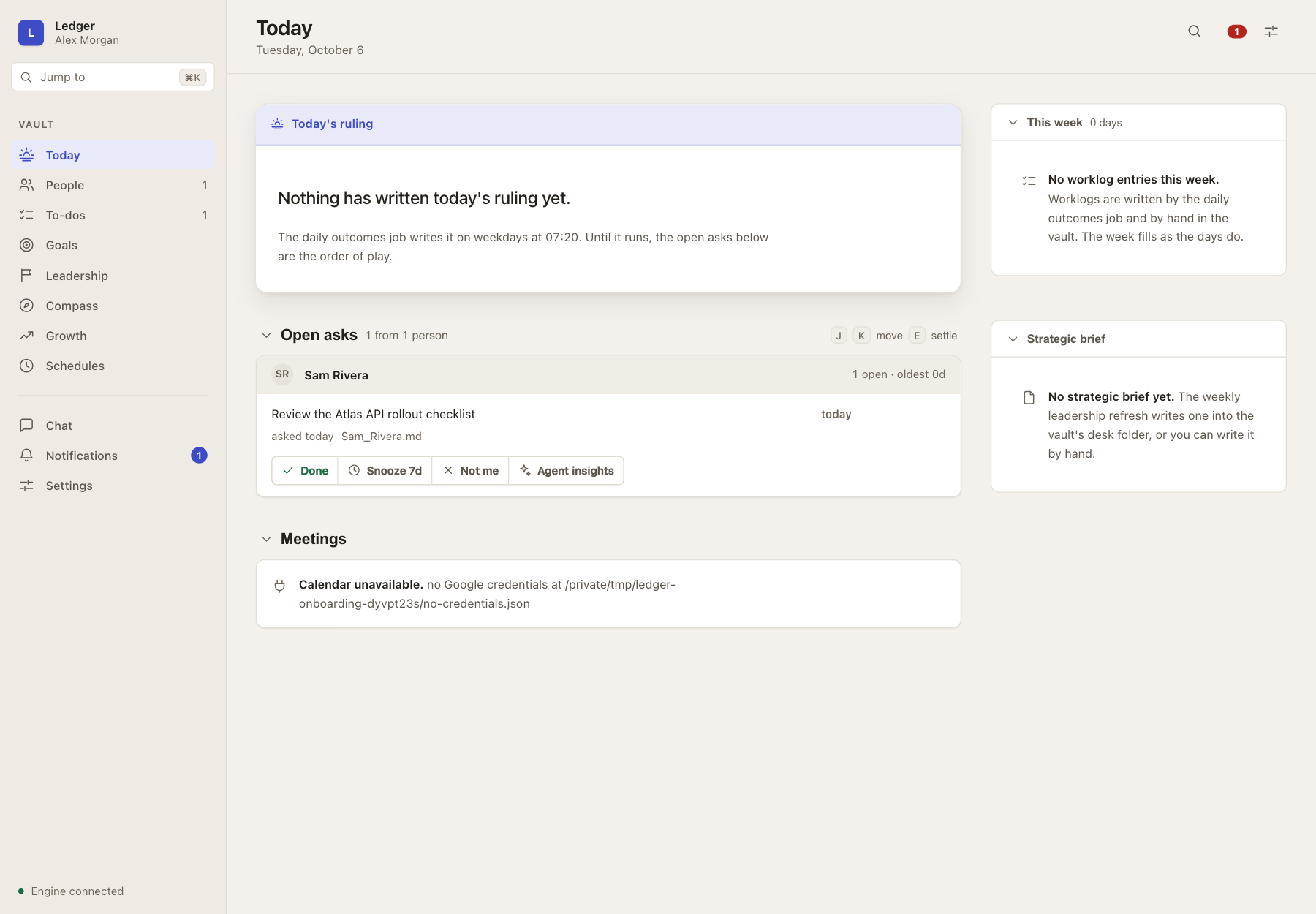
Done and Not me update the source profile Markdown, preserving the ask's text. Snooze is different: it changes presentation state in the engine, not the profile. Generated briefs, preparation and leadership documents are also files, and the interface shows their age. A fresh install does not invent a completed briefing just to fill the screen.
The native macOS shell embeds the same HTML, CSS and JavaScript in WKWebView. Browser and phone clients use that page too; a separately installed recipe embeds it in Ferdium. These are clients of the Python engine, not independent copies of the working record.
Three stores, not just the vault
The files are the system, but they are not all in one place. There are three separate stores:
- Application code. The engine, web assets and canonical skill templates ship with the app or backend.
- The vault. Profiles, asks, meetings, worklogs, installed skills, source evidence and generated desk documents stay outside the app.
- Engine state. Settings, schedules, monthly event JSONL, snoozes, run history and other operational state stay outside the app too.
The vault is not the only durable store. Both the vault and engine state need backups; syncing the vault does not automatically back up the event history. An app rollback is not a rollback of the source Markdown or of anything that happened in an external system. Plain files make the boundaries inspectable, not magically conflict-free.
The engine behind the page
The engine owns the scheduler. Some jobs are deterministic Python functions; agent jobs run through the owner's configured command-line harness with explicitly installed, editable skills. The harness, its integration access and the relevant capabilities are separate prerequisites. An access probe is useful evidence, not proof that every scheduled workflow will complete.
In local native mode the app can start and supervise its engine. Closing its window leaves that engine and scheduler running; quitting stops the child it started. A separately supervised server has its own lifecycle. Closing a browser or phone page does not stop the backend. Schedules only make progress while their engine is running, and a sleeping laptop cannot keep doing the work.
Honest limits
Extraction quality is bounded by the model doing the extracting. It misses things, and occasionally it invents a candidate that a careful human wouldn't have. The approval step exists because of that trust problem. Sourced records and corrections help make the history inspectable; they are not a promise that a new contradiction automatically demotes an old claim or that a ranking algorithm can establish truth.
The system only sees what reaches its configured sources and working record. A hallway conversation, a side thread, or a decision that never gets written down is still a gap. A generated document can be stale, a job can fail, and the interface needs to show that rather than manufacture freshness.
This is a developer preview, not a notarized, clean-machine-certified public distribution. Python and an agent harness remain external prerequisites. The current source, the installed app and an eventual public release are different things; this write-up describes the current source and the inspected synthetic UI, not a release promise.
If you've built something in this shape, an agentic memory system that turns working context into structured memory, I'd genuinely like to compare notes. The failure modes are more interesting than the successes.